

Operations · 6 min read
Turning a detection into an OPC UA tag the PLC can read
A count, a presence flag and a confidence value as OPC UA variables, written on change from the alert webhook, while the reject decision stays with the PLC.
Summary
This post takes a loom presence check at an assembly station and turns it into three OPC UA variables a PLC and a SCADA server can read. It covers which model outputs reduce to a scalar, how the alert webhook writes the tag server, the type and name mismatches that fail silently, and why the reject decision stays on the PLC. It is for controls engineers adding a camera to a line that already speaks OPC UA.
Stephen Biswas · Engineer · Sep 23, 2026
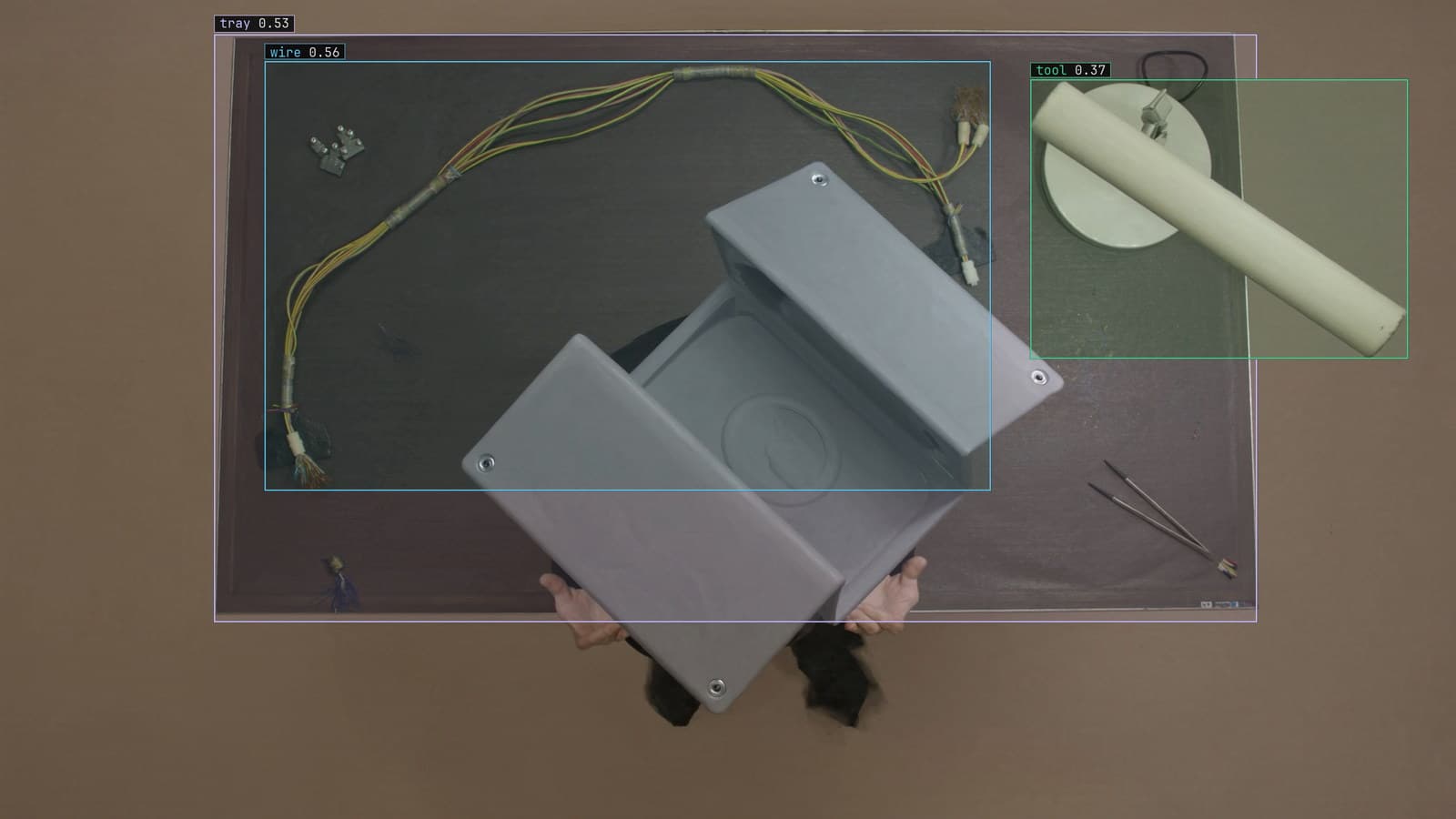
Assembly station with the tool, tray and loom wire boxed, generated scene with detections from our model
Station 4 on the assembly line fits a wiring loom into a housing and drives four fasteners. A camera over the station sees each housing for about nine seconds before the pallet moves on. The model finds the loom, counts the fasteners, and is more or less sure about each. The PLC that owns the pallet release cannot read any of that. It reads tags.
OPC UA is how the PLC, the supervisory server and everything else on the plant network agree on what a tag is. Getting a detection into that world means reducing what the model saw to a handful of typed values with names, and deciding who is allowed to act on them.
Only a scalar fits in a tag, so outputs shrink
A detection is a list. For the housing at station 4 it is a box around the loom with a class and a confidence value, and a box around each fastener. OPC UA variables hold one value each, typed. So the first design decision is which scalars the line actually needs, and the answer is usually three.
A presence flag, Boolean: is there a loom in the housing region. A count, an integer: how many fasteners were found. A confidence value, a float, for the weakest of those detections, so a screen can show that the model was barely sure rather than certain. Anything else the model produced stays in the frame, which is where a person looks at it.
The reduction rules are worth writing down before any tag is created. Presence means at least one loom box overlapping the housing region. The count is the number of fastener boxes above a threshold inside that region. A rule that lives in one place is a rule that can be changed once when the housing revision changes.
The alert webhook writes the tag server on change
An alert in LexAlert is a rule written as a sentence, with a severity and a cooldown, approved before it goes live. For station 4 the rule is a housing with no loom, or with fewer than four fasteners, and one of its delivery targets is a webhook. A small tag server on the plant network, an OPC UA server exposing the three variables, receives the webhook and writes them. The PLC and the supervisory server subscribe to the tag server the way they subscribe to anything else. The monitoring and alerts guide covers the webhook end.
Write on change, never on a timer. A tag that is rewritten every second with the same value makes the SCADA historian store a flat line at great length and hides the moment something moved. A tag written when the presence flag flips, or when the count changes, gives the historian a step at the exact second it happened.
The cooldown on the alert is the same idea on the vision side. A housing that sits at station 4 for nine seconds should produce one event, and the cooldown is what stops it producing nine.
The SCADA server reads the same tag the PLC does
Once the three variables exist, the line's SCADA screen shows them beside cycle time and pallet count, and the historian keeps them. That is the whole point of choosing OPC UA over a private message format: nobody writes a second integration for the screen. The manufacturing plant's quality engineer can plot missing-loom events against shift and against the housing supplier lot without asking anybody for an export.
OPC stood for OLE for Process Control when it was named in the mid nineties, after a Windows technology nobody under forty has used. The letters were kept and the expansion changed to Open Platform Communications, which is a rare case of an acronym improving with age.
Name and type mismatches fail without a sound
The failures in this integration are quiet ones. The tag server exposes Station4.LoomPresent and the PLC program reads Station4_LoomPresent, and the PLC sees a bad node status and keeps its last value, which was true, forever. Or the count is written as a float and read as an integer, and a value the model meant as four arrives as something the PLC rounds in a direction nobody expected.
Each one is a five minute check that gets skipped because the screen looked right on the day. The check is to force each variable through its range on the bench, presence off and on, count from zero to five, and watch the value the PLC holds rather than the value the tag server sent. A stale value is the worst of these because it looks exactly like a good one, so the tag server should also expose a timestamp variable and the PLC logic should treat a timestamp older than a cycle as no reading at all.
The reject decision stays with the PLC
My view is that a confidence tag belongs on a screen and never on a rung. The PLC should act on the presence flag and the count, which are the model's answer, and should own the decision about what that answer means for the pallet. A housing with three fasteners might be held for a person at station 5 rather than rejected, and the PLC knows the line's rules for that. The camera does not.
Keeping the decision there also means the line is unchanged when the tag server is unreachable. The PLC reads no fresh value, its logic treats that as no reading, and the pallet is held for a person, which is what happened before the camera existed.
The frame is what the person at the station sees
The tag tells the PLC what the model saw. The frame with the boxes drawn on it goes to the person at station 5, and when the model was wrong about a loom hidden under a cable tie, that person's correction is the label the next version learns from. The assembly verification use case is this same completeness question at every station, and the hard part is the absence of a small part in a cluttered housing rather than the presence of an obvious one.
LexData takes the station model through its whole life. You type what to look for, Lexi puts a box on every frame, and a person checks each label before anything trains on it. The model then watches the cameras over the line, in the cloud, on your servers, or on a runner beside the recorder. Frames it is unsure of come back to a person, the corrections retrain it, and the new version replaces the old one with no downtime.
The three tags never change their names or types through any of that. A new model version writes the same variables, and the PLC program from the first week is the PLC program running now.
See it on your own footage.
Start with your footageMore in Operations
Operations · 7 min read
Integrating machine vision with PLC, SCADA, MES and ERP systems
A cracked weld is a bit for the PLC, a thumbnail for the HMI, a record for the MES and a yield figure for the ERP. Shape it once, beside the recorder.
Andreas Ohrvall · Sep 23, 2026
Operations · 7 min read
Getting a defect detection to the PLC over MQTT
One webhook from the alert into the plant's broker, a topic per line and camera, and the PLC and the SCADA screen subscribe like any other client.
Andreas Ohrvall · Sep 23, 2026
Operations · 6 min read
Getting a defect record into the MES without touching the PLC
The alert webhook posts a quality record to the plant's REST endpoint, the work order is updated with the frame, and the reject arm keeps listening to the PLC.
Rajiya Sultana · Sep 23, 2026