

Edge · 5 min read
Finding a camera's RTSP URL when nothing wrote it down
A camera's stream address is rarely on the box. The vendor's own path is usually fixed, and ffprobe proves the URL before anything depends on it.
Summary
This post finds the RTSP address inside a camera whose manual never printed one, using the fixed path each vendor's own cameras answer on rather than a path guessed at random. It covers the two community path references, proving the URL with ffprobe before anything depends on it, the step a password with symbols needs, and the four errors that show up once the URL is wired in. It is for the engineer who has a camera's IP address and a login, and nothing else.
Esdras Ntuyenabo · Engineer ·
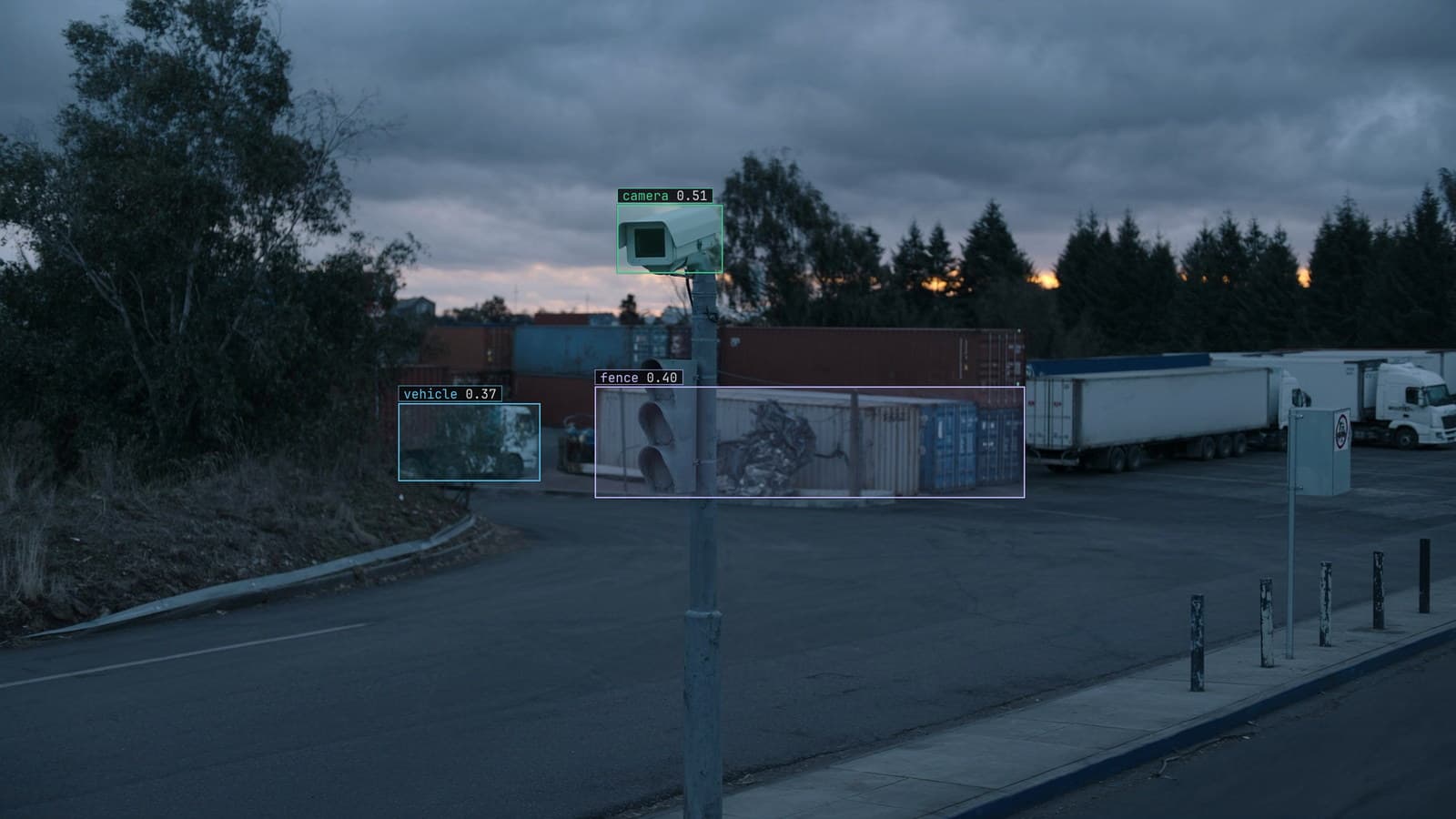
A dome camera on a pole, address and login known, generated scene with detections from our model
The new dome camera over receiving went up last week. It is wired into the switch, and the installer's phone app shows a live picture, so the camera works. The engineer asked to point a model at it has the IP address and a login written on a sticky note inside the box, and nothing else. The camera's manual does not print an RTSP path, because the manual was written for the phone app, not for a line of code.
RTSP is the protocol that carries the video once the address is known. The address itself is the part nobody wrote down, and most IP cameras, DVRs and NVRs answer on a path their own maker fixed at the factory rather than one that is freely chosen per install.
The address is the vendor's own path, not a secret
Two volunteer-maintained references collect these paths by brand: a searchable cheat sheet on GitHub and a brand-by-brand write-up. Between them, the common ones repeat. A camera built on the Hikvision platform answers its main stream on a path under Streaming/Channels/, with the sub stream one channel number along from it. A camera on the Dahua platform answers through a query string, cam/realmonitor, with the channel and stream quality as parameters rather than as part of the path. Both change the channel number for a multi-camera recorder rather than the path itself, and neither is guaranteed once a vendor ships new firmware, which is why proving the result matters more than finding it.
The login is usually the same one that opens the camera's own web page or phone app, placed into the URL ahead of the address.
Prove the URL with ffprobe before anything depends on it
Whichever path is tried, it is worth proving on its own before it is wired into a model or an NVR channel. ffprobe connects the same way a player would, without opening a window:
ffprobe -v error -rtsp_transport tcp -show_entries stream=codec_name,width,height,r_frame_rate -of default=noprint_wrappers=1 "rtsp://user:pass@camera-address:554/Streaming/Channels/101"
-rtsp_transport tcp forces the connection over TCP rather than UDP, which is the setting to start with on any network with a firewall or a managed switch in the path, since UDP's packets are the ones most often silently dropped. A working stream prints its codec, resolution and frame rate in under a second; nothing printing at all belongs to the next section, not this command.
One detail catches more attempts than a wrong path does. A password with an @, : or / in it has to be percent-encoded inside the URL, or the camera's own address is parsed as part of the password instead of as the address:
# password: Site!pass@
rtsp://admin:Site%21pass%40@camera-address:554/Streaming/Channels/101
A connection that fails before it even reaches the camera is usually this, not the camera.
Four errors and what each one actually means
The response code and the channel number are worth reading as a pair, not guessed past:
401 Unauthorized        -> the login, not the path
404 or stream not found -> the channel or stream number
timeout / refused       -> the port is not reachable from here
connects, then freezes  -> the transport, try tcp over udp
A login failure is occasionally a different account than the one that opens the web interface. The two are not always the same credentials on every camera, so the password from the sticky note is worth trying on its own rather than assumed to be identical.
A channel number is tied to the physical port on a multi-camera recorder, not chosen freely. A camera wired into the third port of a four-channel recorder answers on the third channel's path, not the first one, regardless of which path a cheat sheet lists as its default example.
A port that will not connect at all is a network question before it is a camera question. LightNVR's troubleshooting page walks the same order: confirm the port is reachable before touching the URL again.
A stream that connects and then freezes, after the codec and resolution print correctly, is almost always the transport rather than the URL. A congested or managed network drops UDP's packets first, and switching both the proving command and whatever consumes the stream afterward to -rtsp_transport tcp is the fix tried before any cable is moved.
What the URL feeds once it is proven
A URL that prints a clean ffprobe result is ready for sampling a frame every couple of seconds and holding every consumer to one stream each. Behind an NVR rather than a single camera, it is the recorder's own re-exposed channels instead. And a camera that only offers a recorder export rather than a live stream is the DAV-to-MP4 problem, not this one.
From a proven stream, the quickstart takes the address in as a live source, and LexData takes the model through its whole life from there: you type what to look for, Lexi puts a box on every frame, and a person checks each label before anything trains on it. The model then watches the camera the site already has, on a runner beside the recorder if that is where it needs to sit, which the deployment guide covers.
The sticky note inside the box is still worth keeping. It is the only copy of the login that exists anywhere once the installer has left.
See it on your own footage.
Start with your footageRelated posts
Edge · 6 min read
Why your best vision model should live at the edge, next to the camera
A substation at the end of a long feeder has a thermal camera, a cellular uplink that drops in rain, and a model that keeps watching when the link does not.
Rob Hickey · May 22, 2026
Edge · 6 min read
RTSP stream processing for computer vision, and the three ways a camera feed fails without an error
A feed that falls behind, a reboot that ends the frames with no error, a stream with the wrong clock. Sample every two seconds and give each camera a pulse.
Esdras Ntuyenabo · Oct 1, 2026
Edge · 7 min read
Running computer vision on RTSP camera streams from the recorder you already have
A dozen IP cameras and one NVR. One consumer per stream, a frame about every two seconds, TCP when the switch is busy, and a bitrate change ruled out first.
Finn Ellingwood · Sep 27, 2026