

Labeling · 7 min read
Image resizing for computer vision, and the resize that squashes the forklift
A wide yard frame goes into a square input. Pad rather than stretch, move the boxes with the pixels, and treat a changed interpolation on the runner as a step.
Summary
This post follows a wide frame from a yard camera into a square model input and explains what each resizing choice does to the forklift in it. It argues for preserving the aspect ratio with padding rather than stretching, for transforming every bounding box with the pixels, and for treating an interpolation change between training and the runner as a step-shaped drift to rule out first. It is for whoever writes the frame preparation code on either side.
Esdras Ntuyenabo · Engineer · Oct 2, 2026
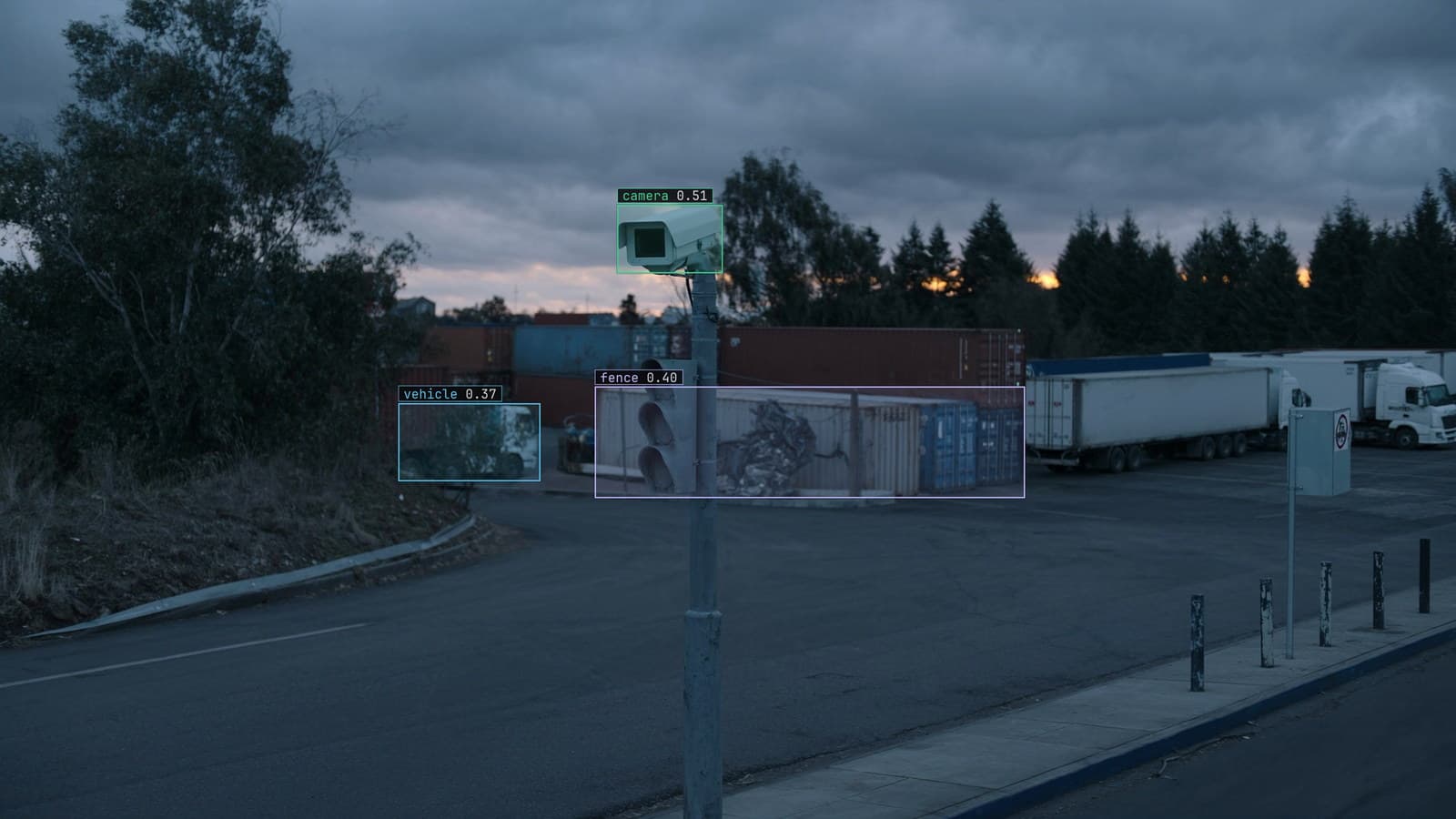
Camera on a pole over an industrial yard at dusk, generated scene with detections from our model
The camera on the pole at the yard gate records at 1920x1080, a wide frame with the fence along the bottom, the lane up the middle and the forklifts crossing it. The model that finds forklifts and people takes a square input. Somewhere between the camera and the model, every frame has to change shape, and the way it changes shape is one of the first decisions in the project and one of the least discussed.
The engineer who set up the training used a resize that fits the wide frame into the square and fills the rest with black. The engineer who set up the runner beside the recorder, a year later, used a resize that stretches the frame to fill the square. Both are one line of code. On the runner, every forklift is now taller and narrower than any forklift the model was trained on.
A wide yard frame has to become a square input
Models take a fixed input size because the arithmetic inside them is fixed, and the size is usually square because it makes the arithmetic simple. A wide frame from the camera at gate 2 is therefore always resized, and there are only three ways to make a wide thing square: stretch it, crop it, or fit it and pad the gaps.
Each does something different to the forklift. Stretching changes its proportions. Cropping loses the edges of the yard, which on the gate camera is where the fence and the far lane are. Fitting and padding keeps the forklift's shape and the whole frame, at the cost of a band of black above and below and a smaller forklift in the square than either of the other two would give.
None of the three is free. The choice is which cost the yard can afford, and it should be made once, written down, and applied on both sides.
Stretching squashes the forklift and teaches the wrong shape
Stretch is the default in a lot of code because it needs no padding logic and wastes no pixels. What it does to the frame from gate 2 is take a forklift that is wider than it is tall and make it a square blob, and take a person, who is taller than wide, and make them a thin stripe. The model trained on stretched frames learns those shapes, and it learns them fine, because every training frame was stretched the same way.
The trouble comes when the two sides differ. A model trained on padded frames and run on stretched ones sees a world where every object has the wrong proportions, and its boxes come out hesitant or wrong. A model trained on stretched frames and run on padded ones has the same problem in reverse. Neither side is wrong on its own. The mismatch is the bug.
The gate camera's runner was stretching. The training had padded. The model's first week on site produced a review queue full of forklifts it half recognised.
Pad to preserve the aspect, and accept the black bars
Fit and pad is the honest choice for most fixed cameras. The frame is scaled until its longer side fits the square, the shorter side is centred, and the gaps are filled with a flat colour. Every object keeps its proportions, and every part of the yard stays in the input. The cost is resolution: the padded frame from gate 2 uses only part of the square's height for actual yard, and the forklift at the far end of the lane is smaller than it would be after a crop.
That cost is real for small objects, and it is the reason a crop is sometimes right: a camera whose interesting region is the centre of the frame can crop to it and give the model more pixels per object. On the gate camera the interesting region is the whole width, so padding wins.
The yard supervisor, shown the padded input with its black bars, asked whether the model was being shown a letterboxed film. In a way it was.
The bounding box moves with the pixels, or the labels are wrong
Whatever resize is chosen, every bounding box has to go through the same transformation as the pixels. A box drawn on the original wide frame at the forklift's position is in original pixel coordinates. After a fit-and-pad resize, the box has to be scaled by the same factor and shifted down by the height of the top bar, or it will sit above the forklift in the resized frame. After a stretch, it has to be scaled by different factors in each axis. After a crop, boxes outside the crop are dropped and boxes across its edge are clipped.
Get this wrong and the model is trained on boxes that do not sit on the objects, and it learns an offset that nobody intended. The labels were right on the original frame. They are wrong on the input. The deployment guide pins the resize to the device preset for this reason, so the export for a Jetson, a Raspberry Pi or a GPU server carries its own preparation and the boxes and the pixels move together.
The same transformation runs in reverse at inference. The model's boxes are in square input coordinates, and they have to be scaled back and shifted up before they are drawn on the wide frame for the alert, or the box on the supervisor's phone will sit a hand's width above the forklift.
A changed interpolation on the runner shows up as a step
There is a subtler version of the mismatch. Two resizes can produce the same size and the same aspect and still differ, because the way pixels are combined when the frame shrinks is a choice. Nearest neighbour keeps hard edges and looks jagged. Bilinear and bicubic smooth. Area averaging is what most video tools do when shrinking. A model trained on frames shrunk one way and run on frames shrunk another sees slightly different textures on every object, and at gate 2 that was enough to move the boxes on people at the far end of the lane.
The drift catalog lists firmware and compression as the first thing to rule out on any sudden drop. A resize step that now runs differently before inference is exactly the kind of change that arrives as a step, to the hour, on whatever received the update. A change in interpolation on the runner is that step. It is found by diffing the frame preparation on both sides, and the fix is to make them match, never to retrain around it.
My own view is that the interpolation method belongs in the model's documentation next to the input size, and that most teams do not write it down until the second time it bites.
Small objects lose the most, so know what the resize costs
Every resize throws away pixels, and the pixels it throws away come disproportionately from the small objects. A person at the far end of the lane on the gate camera is a few dozen pixels tall in the original frame and a few pixels tall after padding into the square. The model has less to work with on exactly the detection the yard cares about most, the person who is far from the gate and close to a moving forklift.
LexData takes the yard model through its whole life. You type what to look for, Lexi puts a box on every frame, and a person checks each label before anything trains on it. The model then watches the gate camera, in the cloud, on your servers, or on a runner beside the recorder. Frames it is unsure of come back to a person, the corrections retrain it, and the new version replaces the old one with no downtime. The doubted frames on the gate camera are mostly the far end of the lane, and they are saying what the resize cost.
When the far end matters more than the near, the answer is a larger input, or a crop of the far half as a second input, or a second camera. The resize is not the place to recover pixels it already threw away.
See it on your own footage.
Start with your footageMore in Labeling
Labeling · 7 min read
AI data labeling workflows, three ways to label footage and when each one pays
A pipeline right-of-way survey labeled three ways: every box by hand, Lexi proposing and a person checking, and synthetic frames for the leak nobody has filmed.
Rajiya Sultana · Oct 2, 2026
Labeling · 6 min read
Annotation analytics, the numbers a labeling queue produces besides labels
Three labelers on a month of warehouse footage produce boxes, and also a throughput, an acceptance rate and a map of where the rejections cluster.
Rajiya Sultana · Oct 2, 2026
Labeling · 7 min read
Annotation format conversion between COCO, YOLO and CVAT without losing a box
Three years of line inspection labels from two tools arrive in three formats. The boxes that shift are the ones nobody draws on a frame before training.
Esdras Ntuyenabo · Oct 2, 2026