

Edge · 7 min read
What the ONNX file is, and why it sometimes loads and returns nothing
One exported file runs on the Jetson at the line, the Pi at the second site and the rack server. When it loads and draws no boxes, check the operator set first.
Summary
This post explains what an ONNX export of a vision model actually contains and why the same file runs on a Jetson beside the line, a Raspberry Pi at a second site and a GPU server in the rack. It then works through the failure where the file loads without complaint and returns no boxes, which is usually an operator set mismatch or a preprocessing difference, and the one test that finds it. It is for the engineer who has to put the model on the box.
Finn Ellingwood · Engineer · Oct 2, 2026
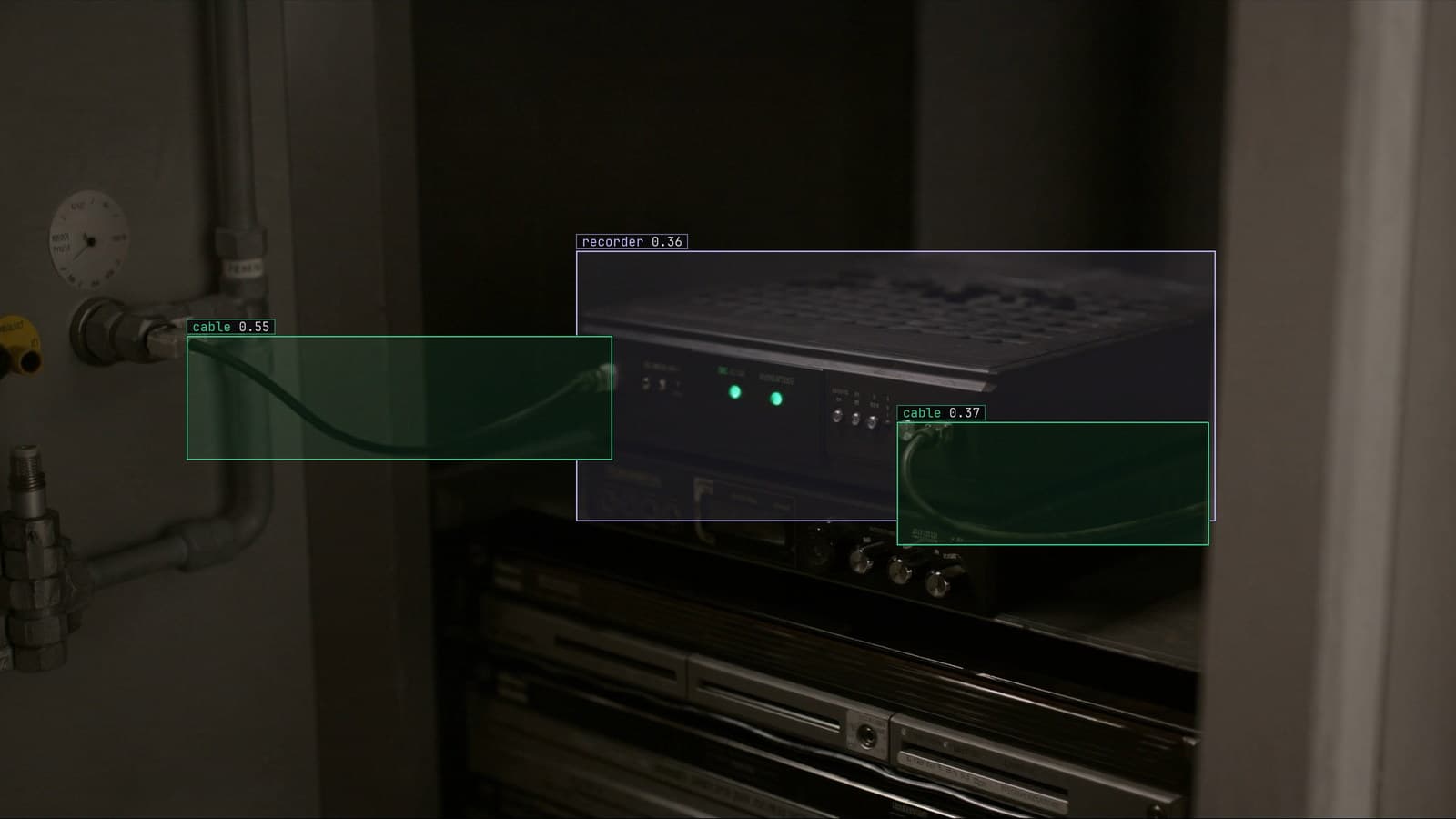
Edge box beside the recorder in a plant cabinet, generated scene with detections from our model
The packaging line has a camera over the scanner, a model that finds cartons and reads whether the label is present, and a fanless box in the cabinet below the recorder that is going to run it. The model was trained in the cloud. The box has never seen the training framework and never will. What crosses from one to the other is a single file, and the plant's controls engineer wants to know what is in it before he trusts it with the line.
It is a fair question, because the file is going to three places. A Jetson in that cabinet. A Raspberry Pi at the sister plant, where the line is slower and the budget smaller. A GPU server in the rack for the batch jobs. The same file, all three.
And on the Pi, the first time, it loaded cleanly and drew nothing.
An ONNX file is a graph with its weights and its shapes
The file holds three things. The graph: a list of operations, convolutions and activations and resizes, each with its inputs and outputs, wired in the order the model runs them. The weights: every learned number, stored beside the operation that uses it. The shapes: what the model expects to receive, a batch of images of a given size and channel order, and what it will hand back, the boxes and scores in a fixed layout.
What it does not hold is the training framework, and that is what the format is for. The framework the model was built in is gone from the file, and what remains is a description any runtime that speaks the format can execute. The file is a contract: give me this shape, I will give you that one.
The controls engineer on line 2 opened the file in a graph viewer and scrolled through the operations for a while. He said afterwards that it looked like a wiring diagram, which is about right.
One file runs on the Jetson, the Pi and the rack server
The reason the same file works on three very different boxes is that each box has its own runtime for the format, and the runtime is what knows about the hardware. The Jetson's runtime uses its GPU. The Pi's runtime uses its CPU cores and takes longer per frame. The rack server's runtime uses whatever card is in it. The file is the same bytes in all three cases.
That is also why the line camera's frame budget still works out on the Pi. Every camera is watched in parallel, sampled about every two seconds, and even a slow CPU runtime on a modest model finishes well inside that. The Pi at the sister plant is not going to keep up with a dozen streams, and it does not have to.
The deployment guide puts the warning where it belongs: plan for the enclosure. A Jetson under sustained load in a sealed cabinet throttles, and video decode is often the bottleneck before the model is. None of that is in the file, and all of it is in the box.
The device preset chooses the export, so describe the box
The export is picked by a device preset that describes the box rather than the architecture: a Jetson, a Raspberry Pi, or a GPU server. The model comes out as PT, ONNX or TorchScript, sized and shaped for the target. The engineer does not choose an opset number or a graph optimisation; he says which box, and the preset already knows.
That is the right level of abstraction for a plant. The engineer putting the file on the line can say what hardware is in the cabinet and does not want to learn what an operator set version is. The preset carries that knowledge, and the failure in the next section is what happens when something outside the preset gets in the way.
Loads and returns nothing usually means an operator set mismatch
Back to the Pi. The file loaded. The runtime raised no error. The camera frames went in, and what came out was a list of boxes with nothing in it, frame after frame, on a line with a carton passing every few seconds.
A file that fails to load is a good failure: the runtime says which operation it does not know. A file that loads and returns nothing is the bad one, because everything looks fine. The usual cause is the operator set. The graph was exported against one version of the format's operator definitions, and the runtime on the Pi was built against an older one. Most operations match. One does not, a resize or a non-maximum suppression, and the runtime either substitutes a behaviour that is subtly different or silently degrades, and the scores come out under the threshold every time.
The second usual cause is not in the file at all. The frames on the Pi were being prepared differently from the frames the model trained on: a different channel order, a different scale of pixel values, a different resize. The model receives an image it has never seen the like of and produces confident nothing. This one happens more often than the operator set and is harder to see, because the file is fine.
On the Pi it was the runtime, a package version behind the Jetson's. Updating it took ten minutes, after a day of looking at the model.
The same frame through both runtimes is the whole test
The check that finds both causes is small. Take one frame from the camera over the scanner on line 2, the same file, and run it through the runtime on the box and through the reference runtime where the model was trained. Compare the boxes. If they match to within a pixel or two, the file and the preprocessing on the box are right. If the box runtime returns fewer boxes, or none, the difference is in the runtime version or the preparation of the frame, and the model itself is exonerated.
Do that check on the day the file lands on the box, with a frame that has cartons in it, before the line is running on it. A frame with nothing in it proves nothing.
My own view is that this test should be part of every rollout to a new box, and it is skipped more often than any other step because the file loaded and loading feels like success.
The file is a version, and the loop replaces it
The ONNX file on the Jetson is one version of the carton model. When the labels on the line change, or the sister plant's frames have taught the model something new, a new version is trained and a new file is exported through the same preset. The rollout replaces the old file with no downtime, and the version number travels with every detection the new one makes.
LexData takes the carton model through its whole life. You type what to look for, Lexi puts a box on every frame, and a person checks each label before anything trains on it. The model then watches the scanner camera, in the cloud, on your servers, or on a runner beside the recorder. Frames it is unsure of come back to a person, the corrections retrain it, and the new version replaces the old one with no downtime. The file on the box is the current answer, and the platform keeps the versions behind it, each with what it was trained on.
The engineer at the packaging line keeps the frame he used for the comparison test in a folder on the box, named after the version it passed on. When the next version lands, he runs it again.
See it on your own footage.
Start with your footageMore in Edge
Edge · 6 min read
Computer vision on multiple video streams from one runner
Twenty cameras, one box beside the recorder. Fair sampling, a slow camera that drops its own frames, an unplugged one that stalls nobody, one heartbeat each.
Andreas Ohrvall · Oct 1, 2026
Edge · 7 min read
CPU vs GPU for computer vision inference, and when a CPU is enough
A cap station checked every couple of seconds and a shelf camera sampled every few minutes both run on a CPU. The GPU earns its keep when the load piles up.
Andreas Ohrvall · Oct 1, 2026
Edge · 6 min read
Deploying computer vision models to edge devices beside the camera
A robot cell that cannot wait for a round trip and an orchard with no uplink. Export by device, run beside the recorder, and get the next version out there.
Andreas Ohrvall · Oct 1, 2026