

Operations · 6 min read
How to monitor inference health when nothing throws an error
A camera that stops sending, a runner that falls behind, a correction rate climbing on one site. Three failures with no error message and three different fixes.
Summary
This post follows a lifting-posture model deployed across four warehouses through the three ways it can stop being useful without ever failing: a camera that goes silent, a runner whose queue grows, and a correction rate that climbs on one site. It concludes that each has a different signature, a different fix, and a different place it shows up. It is for the person who owns a vision system after launch.
Rob Hickey · Chief AI Officer · Oct 1, 2026
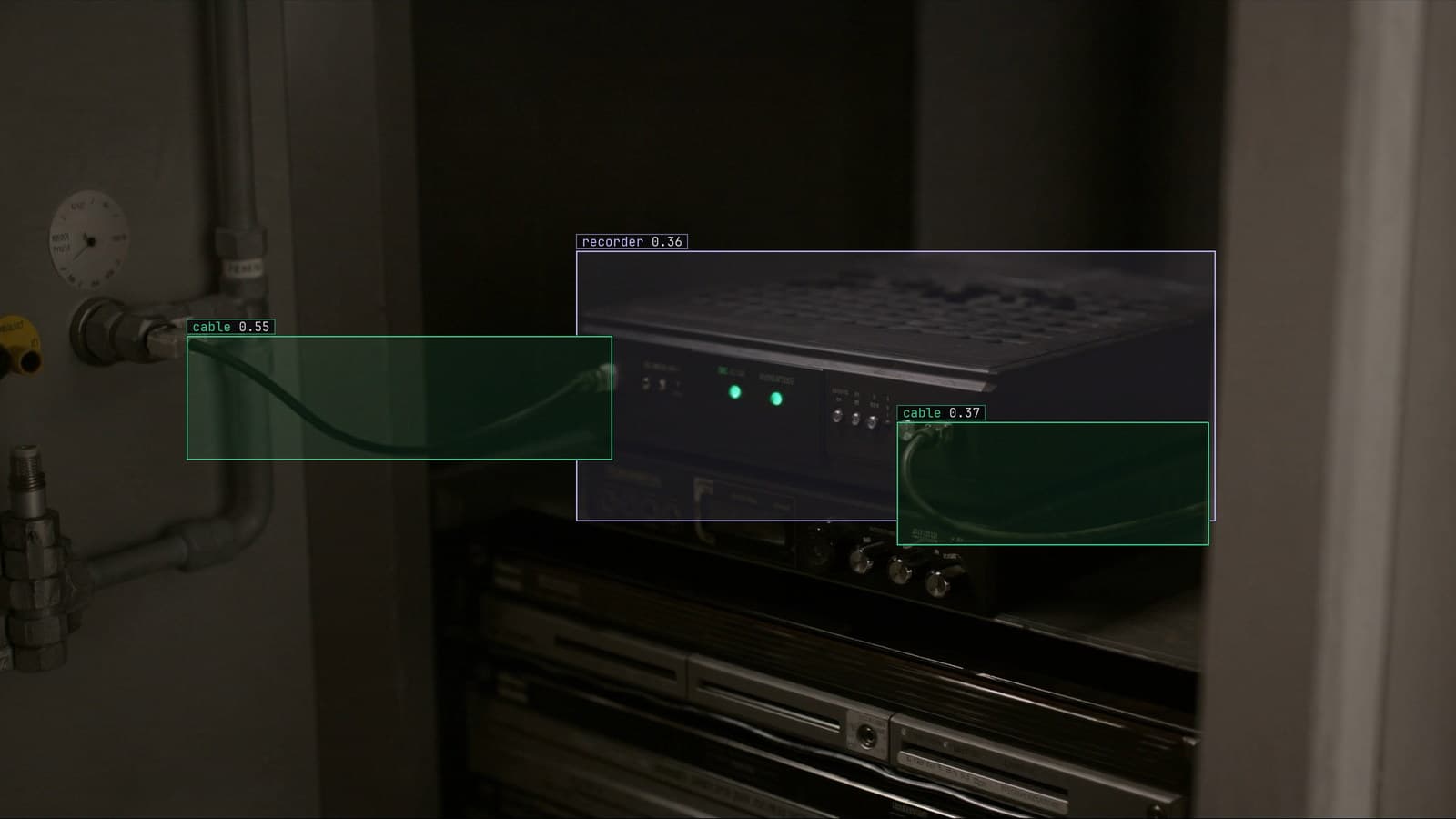
Edge runner beside a recorder, generated scene with detections from our model
Four warehouses share one model. It watches the picking aisles for a person lifting with a straight back and bent knees, and it fires a routine alert to the shift lead when it sees the other kind. Launch went well at all four. Three months later the model at site B has been dead for eleven days and the model at site C is describing lifts that happened four minutes ago. The model at site D is right as often as it ever was, and the shift lead there has quietly stopped trusting it.
No site logged an error. A live vision system almost never does. It fails by going quiet, by falling behind, or by being confidently wrong, and each of those has to be looked for on purpose.
A pose estimation model fails in three ways without an error
Every model on a camera has three things that can break under it. The frames can stop arriving. The frames can arrive faster than the model can process them. Or the frames can arrive, get processed on time, and be answered wrongly, because the world in front of the camera has moved away from the world the model learned.
A pose estimation model watching lifting posture is a good example precisely because its output is subtle. A detector that stops finding trucks is noticed at the dock by Tuesday. A model that stops finding bad lifts produces a quieter week, and a quieter week looks like good news.
The three failures need three monitors, and none of them is the model's accuracy figure.
The camera at site B stopped sending frames at 3 am
The night-shift electrician at site B replaced a failed switch in the mezzanine cabinet, and the aisle camera came back on a different address. The recorder still shows it, because the recorder was reconfigured. The runner that pulls the stream for the model was not, and it has been reconnecting to nothing since.
The signal is a heartbeat per camera: the timestamp of the newest frame the model received from that stream. On the LexInsight view for site B, one camera's newest frame is eleven days old while the other three are seconds old, which is impossible to miss once someone is looking at it. Nobody was, because a camera that sends nothing produces no alerts, and no alerts reads as no bad lifts.
The fix is an alert on the heartbeat itself: a stream whose newest frame is older than a few minutes, sent to the site's own channel. The monitoring and alerts guide describes the alert rule as a sentence, and this one is the shortest a team will write.
The runner at site C is describing lifts from four minutes ago
Site C added a second bank of cameras when the mezzanine opened, and the runner beside the recorder now pulls twice the streams it was sized for. Every camera is watched in parallel, one consumer per stream, sampled about every two seconds, and each sample takes the runner slightly longer than two seconds to get through. The gap is small. Over a shift it becomes a queue, and by the afternoon the frame the model is looking at was captured four minutes ago.
An alert about a bad lift four minutes late is a report, and the shift lead needed a nudge.
The signal is the age of the frame at the front of the queue, per runner, and it belongs on the same screen as the heartbeat. Flat is healthy. Rising means the runner cannot keep up and says how long until the queue is a shift deep. The fixes, in cost order, are fewer streams on that runner, a longer sample interval on the cameras that do not need two seconds, and only then a second box. The deployment guide covers what the runner reports about itself and where that runs on your own hardware.
The model at site D is wrong more often and nobody said so
Site D swapped its hi-vis vests in the spring, from yellow to orange with a reflective band across the shoulders. The pose model, trained on yellow, still puts keypoints on people. It puts them slightly less reliably on the reflective band, and its judgement of a bent back has drifted with them. The shift lead sees a few alerts a day that look wrong, overrides them, and after a fortnight stops reading them closely.
The signal is the correction rate for that site. Frames the model was unsure of come back to a person; the person corrects them; the fraction that needed correcting is the number that moves. At sites A, B and C it has sat at the same level since launch. At site D it started climbing in April, and had the site's overrides been on the same screen as the heartbeat and the queue, the climb would have been visible the week it began.
Corrections retrain the model. When the corrections at site D cross the project's threshold, a new version is trained on them, keeps what it was trained on, and rolls out with no downtime. The learn section explains what drift is and what it is not, and a changed vest is the plainest kind.
The three signals belong on one screen per site
My own view is that the accuracy figure from launch day is the least useful number a team can put on a dashboard, because it never changes. The three numbers that do change are the age of the newest frame per camera, the age of the frame at the front of each runner's queue, and the correction rate per site. They answer different questions. Are the frames arriving, are they being processed on time, and are the answers still right.
LexData takes the posture model through its whole life. You type what to look for, Lexi puts keypoints on every person in every frame, and a person checks each label before anything trains on it. The model then watches the aisle cameras the warehouse already has, in the cloud, on your servers, or on a runner beside the recorder. Frames it is unsure of come back to a person, the corrections retrain it, and the new version replaces the old one with no downtime. The heartbeat, the queue age and the corrections per site are what LexInsight shows when you ask how each site is doing.
Site B's eleven silent days ended when the shift lead there asked why the other sites had been getting alerts and hers had not. A person asking that question is a monitor too, and a slow one.
At site D the old yellow vests are in a crate in the loading bay. The site manager kept them in case orange turned out to be a mistake.
See it on your own footage.
Start with your footageMore in Operations
Operations · 7 min read
AGPL-3.0 licensing risk for computer vision teams serving a model
A camera streaming to a served detector is the network interaction the licence was written for. What a legal review will ask, and why to pick the weights first.
Ayman Quadir · Oct 1, 2026
Operations · 7 min read
Cloud vs owned GPU inference for computer vision, worked out per camera hour
A plant on three shifts and a retailer with cameras spread across stores get different answers from one sum, and footage leaving the building is a cost too.
Ayman Quadir · Oct 1, 2026
Operations · 7 min read
Computer vision heatmaps drawn from the aisle cameras a store already has
Footpoints from every tracked box, aggregated over a day and mapped onto the floor plan, show where footfall goes. A camera nudged in cleaning shifts the map.
Rajiya Sultana · Oct 1, 2026