

Operations · 7 min read
QR code detection with computer vision when the code on the bin will not read
Finder patterns and the quiet zone for whoever is debugging a failed read, a detector that crops the code from a wide frame, and the result logged per tote.
Summary
This post explains why a QR code that reads on a phone fails on a warehouse camera, by walking through the three finder patterns and the quiet zone a decoder looks for, and why a detector should find the code in the wide frame and hand a crop to the decoder rather than the whole picture. It concludes that the decode result belongs against the tracked bin and that the failed reads are the frames worth reviewing. It is for the person debugging the read rate.
Finn Ellingwood · Engineer · Oct 1, 2026
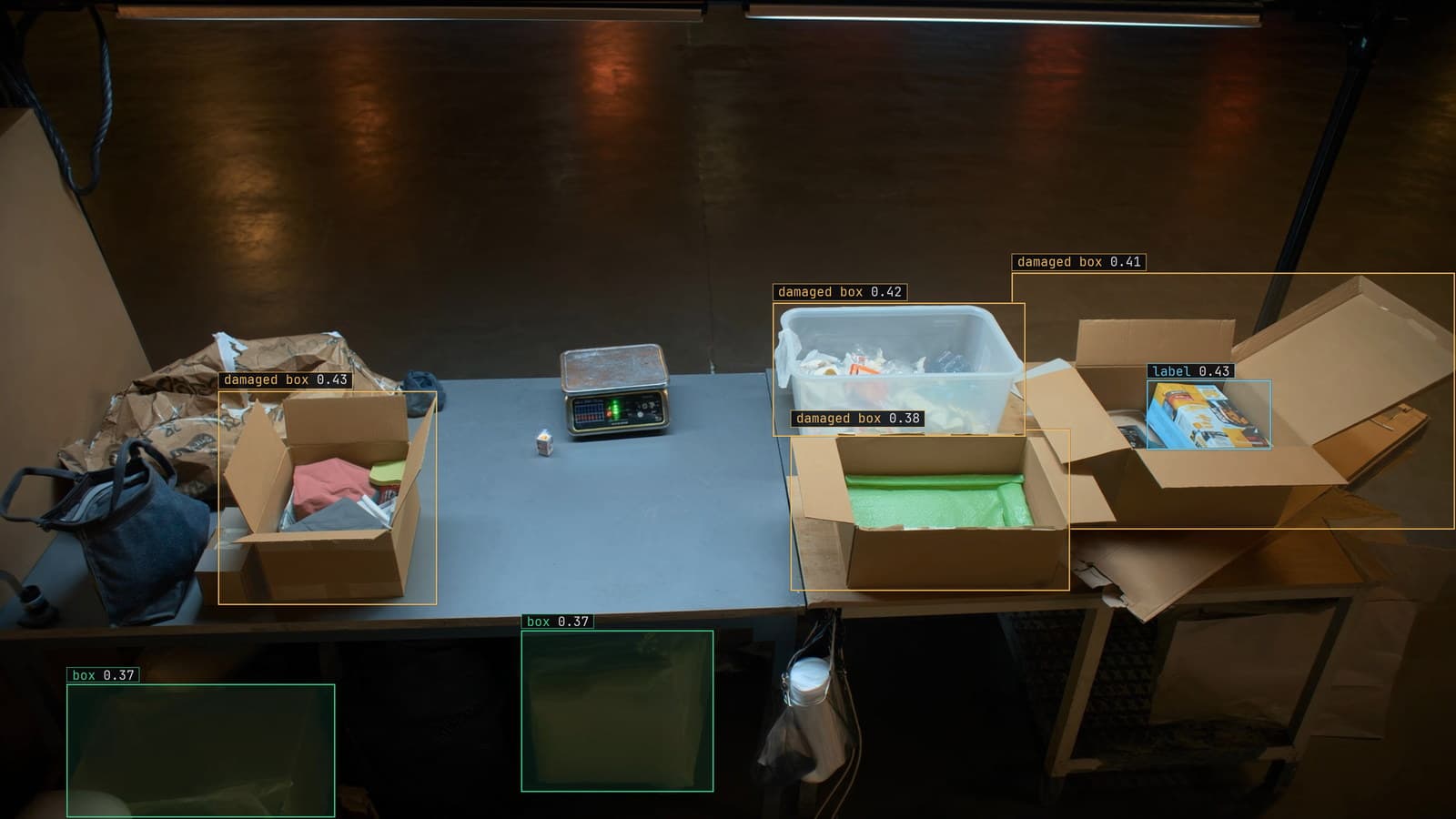
Packing bench with boxes and labels boxed, generated scene with detections from our model
Every tote on the put wall has a QR code on its end, and every code reads first time on the supervisor's phone held a hand's width away. The camera over the wall, which is supposed to log each tote as it arrives, reads about half of them. The other half are logged as unknown, and the supervisor spends the end of the shift matching totes to orders by hand.
The code is fine. The phone proves that. What the camera sees is a small, tilted, slightly blurred version of the code with a bar of glare across one corner, and a decoder looks for specific things that the glare and the tilt take away.
Three finder patterns are what a decoder looks for first
A QR code has three large squares, one in each corner except the bottom right. They are the finder patterns, and a decoder finds them before it does anything else, by scanning for their characteristic pattern of dark and light in fixed proportions along any line through them. Once it has three, it knows where the code is, how big it is and which way it is turned, and the rest of the grid can be read relative to them.
Lose one finder pattern and the decoder has nothing to anchor to. On the put wall the bottom-left square is the one that sits under the glare from the overhead lamp, and it is the one that goes missing on the totes the camera cannot read. The code's own error correction can repair a lot of damage to the grid inside; it cannot repair a missing finder, because the finder is how the grid is located in the first place.
The fourth corner, the one without a finder, has a smaller alignment pattern instead, which is what lets a decoder cope with a code that is curved or tilted. On a flat tote end it is doing very little. On a code wrapped round a bottle it is doing everything.
The quiet zone is the margin the label printer ate
Around every QR code there has to be a border of blank space, ideally a few modules wide, where a module is one small square of the grid. That is the quiet zone, and it is how the decoder knows where the code stops. The warehouse's label template puts the code hard against the tote's order number on one side and the label's edge on the other, and the tote's black plastic behind the edge reads as more dark modules.
A decoder that cannot find the edge of the code cannot find its size, and a code of the wrong size is a code whose grid does not line up. The fix is on the label, and the person to talk to is whoever owns the template. Widening the margin costs nothing and improves the read rate more than any change on the camera side.
The supervisor at the put wall had already tried laminating the labels to stop them scuffing. The laminate added a second reflection, and the read rate fell.
Object detection finds the code in the wide frame
A decoder wants a crop: a code filling most of a small image, upright or nearly so, with its quiet zone around it. The camera over the put wall produces the opposite, a wide frame with a dozen totes in it and each code a small patch somewhere in the picture. Handing the whole frame to the decoder means asking it to search every pixel for finder patterns, which is slow and misses codes that are too small in the wide view.
Object detection is the step in between. A model trained on frames from that camera puts a box on every QR code in the wide frame, whatever its angle or lighting, because it has learned what a code looks like from above the put wall rather than what a finder pattern is. The box becomes the crop, the crop goes to the decoder, and the decoder is now looking at one code at a time, large and centred.
The labeling guide covers how the boxes are proposed and checked, and for a QR code the check is mostly that the box includes the quiet zone rather than hugging the grid. A crop that cuts the margin off has recreated the label template's problem.
The crop is enlarged and straightened before decoding
The box from the detector over the put wall is small, and small is the enemy of a decoder. A code that is a few dozen pixels across in the wide frame, which is what the camera over bay 2 delivers, has modules that are each about one pixel, and a module of one pixel is indistinguishable from noise. The crop is scaled up, and the scaling should keep edges sharp rather than smoothing them, since a smoothed edge between a dark and a light module is a grey module.
Tilt is handled the same way. The detector's box is axis-aligned, and the code inside it is at whatever angle the tote was placed. A decoder can cope with some rotation on its own; a crop rotated to upright first gives it less to cope with and a better read rate on the hard cases.
My own view is that a team should try a bigger, sharper crop before trying a better decoder, because a decoder that cannot read a two-pixel module is behaving correctly.
The decode result is logged against the tracked tote
The read is only useful if it is attached to the right tote. The camera sees each tote across many sampled frames as it comes down the wall, and instance tracking gives it one identity across them. A code that failed on the frame with the glare and read on the next frame is one tote with one result. The result, the decoded string with its timestamp and the frame it came from, is logged against the track, and on the Tuesday night shift that log is what the supervisor reads.
That also means a tote never needs to read on every frame. One good read across its time in view is enough, and the track carries it. A tote that never reads while in view is logged as unknown, with its best frame attached, so the supervisor's end-of-shift list is short and has pictures.
The package and label inspection use case is the same shape at line speed: a region, a rule and a decode, with the decision made in the time between packs.
The failed reads are the frames worth reviewing
A read rate is a number, and the frames behind the failures are what move it. At the put wall they sort into a few piles: the glare under the lamp, totes placed with the code facing away, a torn corner, a code so scuffed the finder is gone. Each pile has a different owner. The lamp is a facilities ticket. The placement is a briefing at the shift handover. The scuffing is the label stock.
Frames the detector was unsure of come back to a person. A person marking a scuffed code as a code teaches the next version to find it, which is a box the decoder can then fail on honestly rather than a code that was never found. When corrections cross the project's threshold a new version is trained on them, and the read rate moves on the totes that were never boxed.
LexData takes the put-wall model through its whole life. You type what to look for, Lexi puts a box on every code in every frame, and a person checks each label before anything trains on it. The model then watches the camera the warehouse already has, in the cloud, on your servers, or on a runner beside the recorder. Frames it is unsure of come back to a person, the corrections retrain it, and the new version replaces the old one with no downtime.
The supervisor still keeps the phone in her pocket for the totes the camera lists as unknown, and the list is now short enough to clear before the shift ends.
See it on your own footage.
Start with your footageMore in Operations
Operations · 7 min read
AGPL-3.0 licensing risk for computer vision teams serving a model
A camera streaming to a served detector is the network interaction the licence was written for. What a legal review will ask, and why to pick the weights first.
Ayman Quadir · Oct 1, 2026
Operations · 7 min read
Cloud vs owned GPU inference for computer vision, worked out per camera hour
A plant on three shifts and a retailer with cameras spread across stores get different answers from one sum, and footage leaving the building is a cost too.
Ayman Quadir · Oct 1, 2026
Operations · 7 min read
Computer vision heatmaps drawn from the aisle cameras a store already has
Footpoints from every tracked box, aggregated over a day and mapped onto the floor plan, show where footfall goes. A camera nudged in cleaning shifts the map.
Rajiya Sultana · Oct 1, 2026